A quiet radio can mean several things: nobody is talking, a weak signal is below the squelch threshold, or a receive code is filtering out a call. On the QUANSHENG TG-FR1, squelch and CTCSS/DCS serve different purposes. Knowing which one to check can save repeated changes to otherwise working settings.
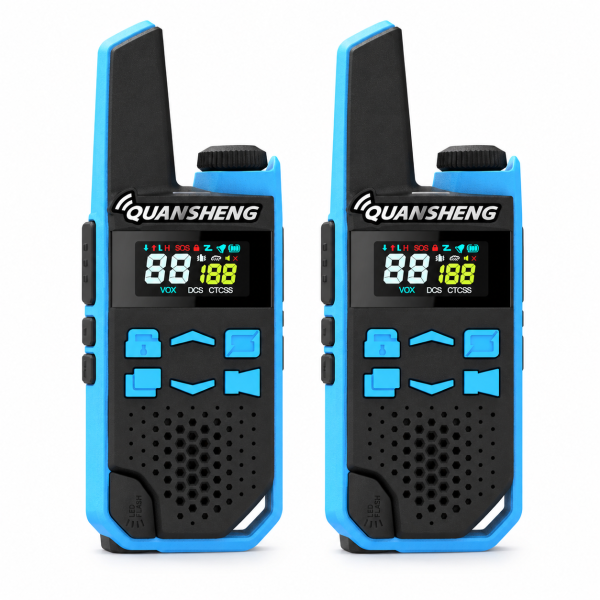
Squelch controls the reception threshold
The TG-FR1 offers seven squelch levels. Higher settings can suppress unwanted noise, but they may also prevent weaker signals from opening the speaker. If calls work nearby but disappear farther away, compare performance at a lower squelch setting before changing several other options. Change one setting at a time and repeat a short test in both directions.
CTCSS/DCS filters which calls open the speaker
These codes help filter unwanted calls on a channel. They do not encrypt your voice or make a conversation private. A receive-code mismatch can leave a radio silent even when both units use the intended channel. Check the code type and value on both units, rather than comparing channel numbers alone.
Run a simple two-radio check
- Confirm both radios are the same edition: FRS and PMR446 are separate versions on this listing.
- Select the same channel and matching code settings on both units.
- Test nearby using PTT, then swap the transmitting and receiving roles.
- If needed, temporarily disable code filtering on both radios and repeat the test.
- If nearby calls work, repeat at your intended locations and compare squelch settings.
Once you find a working combination, note the channel, code type, code value and squelch level for each unit. This makes it easier to restore the setup later.
Find the matching product and resources
See the QUANSHENG TG-FR1 two-radio set for edition choices and the product video. Visit our Downloads page for available manuals and support resources. Match any document to your exact radio version.