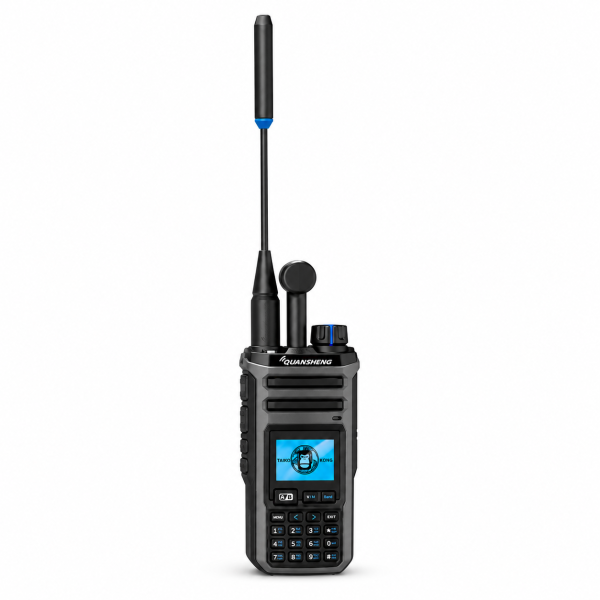
The QUANSHENG TK-11 series brings flexible reception and organized channel storage to a handheld radio. SHJ Communications currently offers the TK-11(5) in gray and black and the TK-11(8) in gold and black. This guide explains the features shared in our current listings and the details to check before selecting a version.
More ways to listen
Both listings describe AM airband reception, FM broadcast reception and LSB/USB reception on supported bands. These are listening features, and the available receive mode depends on the band you select. Do not interpret an available receive mode as a claim that the radio can transmit in that mode.
Reception also depends on the signals available near you, your surroundings and the antenna setup. Start with the manual for your exact version and a known compatible signal rather than assuming every mode is available on every band.
Organize up to 999 memory channels
The listed memory capacity is 999 channels. Supported display options include channel number, frequency and channel name. Clear names can make a small set of everyday channels easier to select without repeatedly checking a separate list.
Channel, frequency and priority scanning are also listed. Choose the scan function that fits the settings you have confirmed, and keep a backup of your programming file. A large memory capacity is most useful when channels are organized, named and checked.
Understand the dual receive restriction
The TK-11 listings describe Channel A and Channel B receive controls with separate volume adjustment. However, there is an important limitation: dual receive is not supported when Channel A is set to F1, F2 or F11.
If dual receive is important to your setup, check the relevant band selections in the manual before ordering. A function listed as supported may still have configuration restrictions; selecting two channels does not mean every combination will work.
Signal tools help with setup, not guaranteed compatibility
The listed tools include a spectrum analyzer, frequency meter and one-key matching. The spectrum analyzer lets you inspect activity around a configured center frequency. Frequency detection and matching depend on strong, compatible nearby signals.
Wireless replication is described as transferring supported settings between compatible radios. Confirm compatibility and review the copied settings before use. Matching or copying settings does not establish that your intended transmission is authorized.
TK-11(5) or TK-11(8)? Check the exact listing
Our TK-11(5) listing is gray and black; the TK-11(8) listing is gold and black. Both currently describe 999 memory channels, the receive modes above, signal tools, VOX, six-level voice noise reduction and USB-C or charger-base charging support.
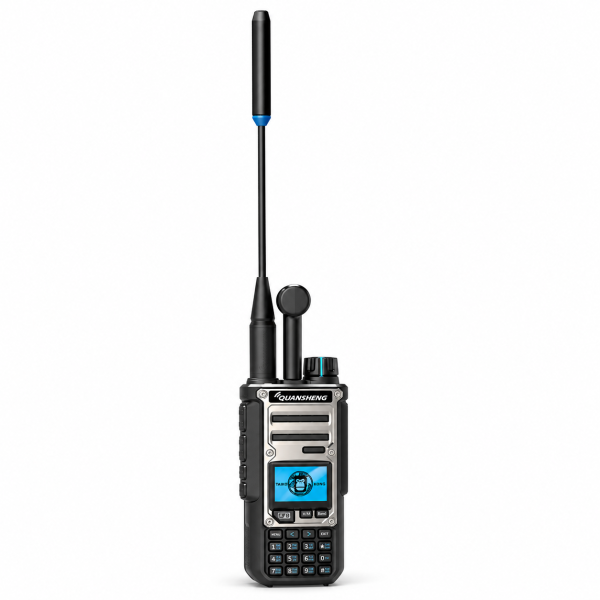
Those shared descriptions are not a complete hardware comparison. Check the exact model, current specifications and package details rather than assuming the model suffix guarantees a particular power output or accessory bundle. Each listing describes one radio with one battery. Charging support does not mean every charging accessory is included.
Downloads and first-use checklist
- Confirm your exact TK-11 model, hardware version and installed firmware before choosing a software file.
- Visit the Downloads page for available TK-11 resources. A programming software package is not automatically a firmware update.
- Charge with compatible equipment and follow the manual. The current listings advise against transmitting while charging.
- Start with a small set of confirmed channels and verify the receive configuration before use.
- Review the product page for the current package and ordering details.
Browse the QUANSHENG TK-11(5) or QUANSHENG TK-11(8). For help identifying a download, contact dxu76256@gmail.com with your exact model and version information.
This guide reflects the current store listings. Functions depend on band, configuration and version. Check the requirements for your intended operation and location before transmitting.