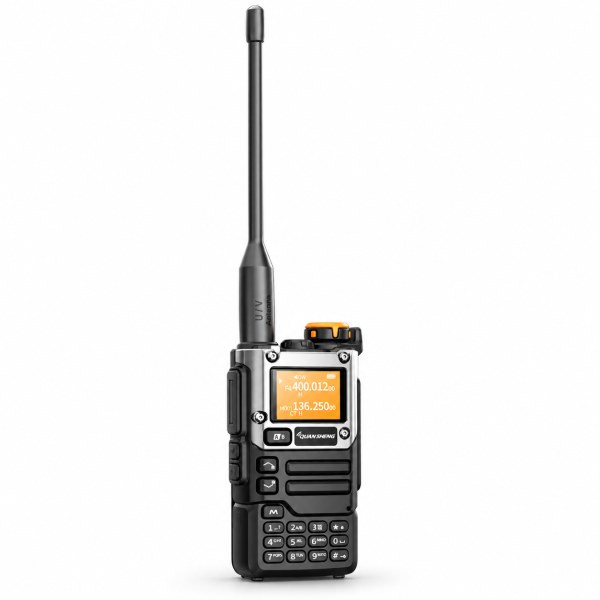
A prepared channel list makes a handheld radio easier to use. The QUANSHENG UV-K5(8) offers 200 memory channels, a dual-line display and dual watch. This guide focuses on organizing those features and completing a simple first-use check before relying on your setup.
Start with the correct version and accessories
Check the supplied regional version and firmware before programming. The current listing notes that transmit bands and available functions can vary. Confirm your package contents as well: PC programming requires a compatible cable, and its inclusion depends on the selected package.
Fit the antenna and battery securely before operation. Follow the supplied manual for charging and initial setup, and never transmit without the antenna fitted.
Build a useful channel list
The UV-K5(8) stores up to 200 channel settings. Begin with a small group of entries you actually need, verify them, and expand the list afterward. Keeping a separate record of your channel numbers and their purpose makes it easier to identify the correct entry later.
Two-way communication requires compatible channel and signaling parameters on the radios involved. Seeing the same memory number on two different devices does not by itself establish that their stored settings match. Test each important entry with the intended compatible radio.
Check A/B selection before pressing PTT
The dual-line display keeps two channel or frequency entries in view. The A/B control selects the main entry. Before making a call, check the selected entry on the display so you know which channel you are using.
Hold the side PTT button while speaking and release it to listen. For your first test, ask another user to reply, then check communication in both directions. Make this basic call work before adding monitoring or voice-activation features.
Use dual watch with realistic expectations
Dual watch monitors two configured entries in turn. It is useful for following activity on two entries, but it does not provide simultaneous reception of two conversations. If you need to concentrate on one conversation during a test, keep your setup simple and focus on that channel first.
Channel scanning is another way to check activity across stored entries. A concise, verified memory list is easier to work through than a long list of settings you have not tested.
Treat copying and programming as setup tools
The product listing includes fast channel copy, CTCSS/DCS search, compatible PC programming and wireless replication between compatible radios. These functions can assist setup, but you should still review the resulting parameters and complete a call test.
Before using software, confirm support for the exact model and hardware version, use a compatible cable, and save your existing configuration when the software supports it. A copied setting also needs to be appropriate for your authorized operation.
Keep listening modes and charging instructions clear
The listed AM airband and FM broadcast functions are receive-only. FM reception includes up to 20 station memories. Reception depends on available signals, surroundings and antenna conditions.
For charging, the listing instructs users to switch the radio off and use the original desktop charger. It describes USB-C as emergency charging and says to keep the battery installed when using it. Follow the supplied manual for your unit.
Complete your setup and find support
Once the channel test succeeds, try keypad lock to reduce accidental input. Configure VOX separately if needed and test it in your actual surroundings. Use transmit settings only where you are authorized, and assess communication in the intended location rather than assuming a fixed range.
Review the UV-K5(8) product page for current details. Check our Downloads page for available resources, or contact dxu76256@gmail.com if you cannot identify a file for your exact model. Confirm compatibility before installing software or firmware.
Based on the current product listing. Functions and accessories depend on the supplied version and selected package.