Before changing channels on a BAOFENG BF-5RMINI, read its existing settings and keep a copy. A small, verified edit is easier to troubleshoot than replacing the whole channel list at once. This guide covers a programming workflow rather than a firmware update.
Match the software to the radio
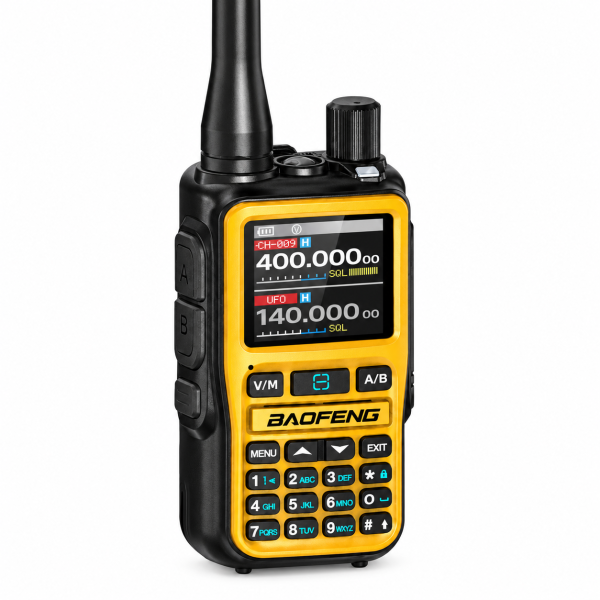
The orange BF-5RMINI listing supports Bluetooth programming through compatible Android software. Confirm the exact model and hardware version before selecting an app or file. Bluetooth on this model is for programming; it does not provide headset audio. If the software reports a model mismatch, stop and confirm compatibility before writing anything.
Read first and keep the original
Use the compatible software to read the radio’s current configuration. Where the app provides a save or export function, save an unchanged copy with a name that identifies the radio and date. Keep a separate working copy for edits. If you cannot save a recoverable copy, confirm the supported backup method before making a large change.
Change one channel before rebuilding the list
Choose one known channel and make the intended edit in your working copy. Review the frequency and any tone settings against your existing setup before writing it back. Avoid importing a file from another radio model just because the channel names look familiar.
Read back and check the result
- Write the reviewed configuration using the compatible software.
- Read the settings again and confirm the edited entry.
- Check the entry on the radio display, including its A or B assignment where relevant.
- Verify reception on the intended channel before proceeding with more edits.
Keep the original backup unchanged so you can compare it with later versions. Visit the BAOFENG BF-5RMINI product page for model details, or check our Downloads page for available programming resources.