The BINTE RADIO BT-9000 Transparent Edition lets you choose a fixed position or a GPS position as the source for APRS beacons. If a beacon shows an unexpected location, check the selected source before changing the transmission settings. This guide walks through a first test for each setup.
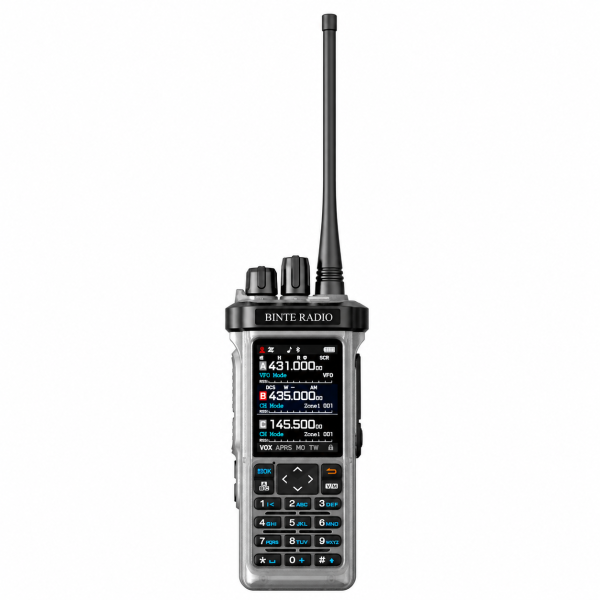
Choose a source that matches how you use the radio
Fixed position: Use a saved position when the radio is meant to represent a stationary location. Check that the saved coordinates describe the intended location, particularly if you moved the radio or loaded a previous configuration.
GPS position: Choose GPS when the reported position should follow the radio. Check that the radio has obtained a current position before trying to send a beacon. If it has not, try checking again with a clearer view of the sky rather than assuming the displayed position is current.
Verify one manual beacon first
- Check the station details, channel, position source and beacon settings against the instructions for your version.
- Confirm you are authorized to transmit using the chosen settings.
- Send one manual beacon and check it with a compatible receiving setup.
- Compare the reported station and position with what you intended to send. Enable timed beacons only after the manual test produces the expected result.
Use the test result to narrow down the problem
A beacon arrives with the wrong position: Recheck whether fixed position or GPS is selected. Review the saved coordinates in fixed mode or check that you have a current GPS position in GPS mode. Change one setting and repeat the same test.
No beacon arrives: Check the station, channel and beacon settings and confirm that the receiving setup can hear the test. A GPS position on the display shows the radio has position information; it does not confirm that a beacon reached a receiver.
Manual works, timed does not: Keep the working configuration and check the timed beacon option and interval. Note when the manual beacon was received and how long you waited for the next one before making further changes.
Keep a copy of your working setup
Record the radio edition, selected position source and whether the manual or timed test succeeded. If you switch between a stationary setup and portable use, check the source again before sending position information.
See the BT-9000 product page for the listed features and the Downloads page for available resources. If you need help, contact SHJ Communications with your radio version and the first step that failed. You can describe a position mismatch without sharing your exact coordinates.