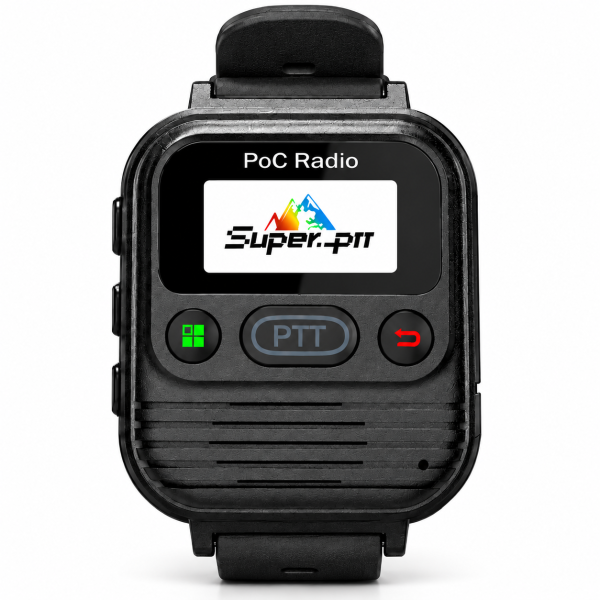
When two shifts share a radio, the incoming user needs to know three things: whether it is charged, which group it is set to, and whether a teammate can hear a test call. The M2 wrist-worn PoC radio has a built-in push-to-talk button and supports a compatible wired finger PTT. A short handover check helps the next user tell a setup problem from a faulty accessory.
1. Hand over a charged radio and identify its accessories
The store listing specifies a 2500mAh battery and Type-C charging. Check the displayed battery level before passing the radio to the next user, and use the supplied charging guidance if it needs a top-up. Battery capacity does not tell you how long a partially charged radio will last during the next shift.
Check the strap and confirm which talk control the next user will use. The front PTT button is built into the radio. The illustrated finger PTT connects by cable; confirm that a compatible accessory is part of your package before planning a handover around it.
2. Confirm the group and make a two-way call
Ask the incoming user to confirm the intended group with a teammate. A short exchange such as “Receiving desk, radio check” followed by a reply confirms more than an indicator on the screen. Start with the front PTT button: hold it while speaking, then release it to listen. Test at the location where the next user will actually work.
If the team uses the wired finger PTT, repeat the same exchange with the accessory. If the front button works but the accessory does not, report that difference and use the built-in control while the accessory is checked.
3. Check coverage and service before changing settings
The current listing includes lifetime free Super-PTT platform access. Cellular connectivity is separate: the M2 requires compatible coverage, active SIM/data service and suitable account settings. A failed call in one part of a building may warrant a second test in a known working location before anyone changes the group or account.
4. Leave a note the next shift can use
Record the radio label, battery level, selected group, test location and result. If the call failed, specify whether neither side could hear the other or only one direction worked. Note whether you used the front button or the wired accessory. This gives the next shift a clear place to resume.
See the M2 product page for the listed package and connectivity requirements, and the Downloads page for available support resources. If the same test keeps failing, contact SHJ Communications with the model, region, test result and any error shown on the device.