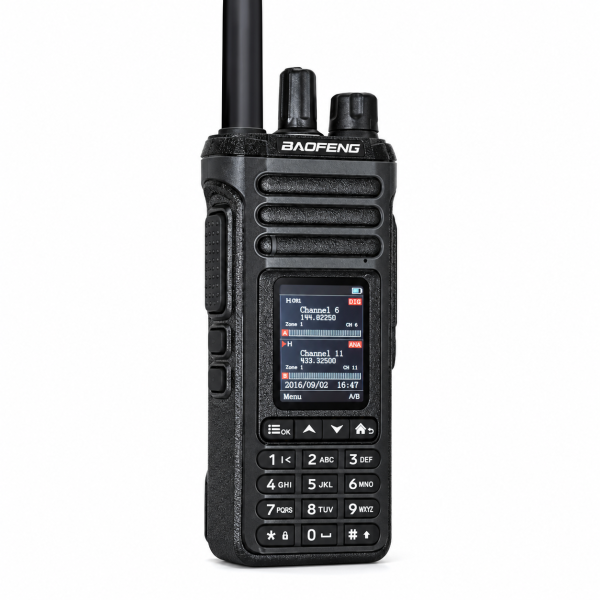
Bluetooth on a radio can serve different purposes. The BAOFENG DM-36 lists compatible Bluetooth headset and wireless PTT support, while the BAOFENG UV-32 describes Bluetooth Android app programming. Knowing which function you need helps you choose the right radio and accessories.
Start with what you want Bluetooth to do
If your goal is to listen and speak through a wireless headset, you need a radio that supports that audio function and an accessory confirmed compatible with it. If your goal is to edit channels from a phone, you need a supported programming app and a compatible radio version.
A general Bluetooth label does not establish support for every task or every accessory. Check the specific function in the product description before buying a headset or planning a phone-based setup.
DM-36: compatible headset audio and wireless PTT
The DM-36 listing describes pairing with compatible Bluetooth headsets and wireless PTT devices. Its settings include headset audio level, microphone gain and wireless PTT pairing. A compatible headset and PTT device may require separate setup, so test each function before normal use.
The listing does not confirm a Bluetooth headset as included. Review your selected package and ask support about the exact accessory model you intend to use. Do not assume an ordinary phone headset or an unrelated wireless button will work.
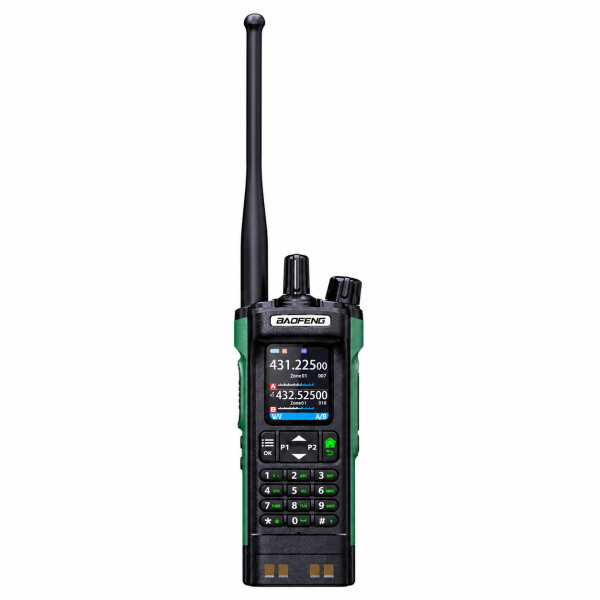
UV-32: Bluetooth Android app programming
The UV-32 listing describes a BAOFENG Android app workflow: read the radio configuration, edit channel and radio settings, save a profile and write the chosen configuration back to the radio. This is useful when your priority is managing a channel list from a supported Android device.
The Bluetooth function documented in this listing is programming. Headset audio support is not confirmed there. Check the correct app and exact radio version with support rather than inferring audio compatibility from the Bluetooth name.
The radio modes differ too
The DM-36 supports DMR digital and analog communication. The UV-32 is listed as an analog handheld radio. Bluetooth programming does not add DMR operation to an analog radio.
Both radios need compatible operating settings to communicate with another unit. For the DM-36’s digital operation, the listing highlights frequency, color code, time slot, contact and receive-group settings. Choose the communication mode your existing setup requires before deciding which Bluetooth feature is most useful.
Organize and test your setup
The DM-36 stores up to 4,000 channels across 250 zones, with up to 64 channels per zone. The UV-32 stores up to 1,000 channels across 10 zones, with 100 channels per zone. Start with a small, verified configuration before expanding your saved list.
For wireless audio, first confirm a basic call using the radio, then pair the compatible accessory and test listening, microphone audio and PTT operation. For app programming, read and save the existing configuration before editing, then verify the written settings and complete a call test using authorized operating settings.
Confirm accessories and software before ordering
Compare the DM-36 product page and UV-32 product page for current functions and package details. Visit our Downloads page for available resources. Confirm the exact model and hardware version before installing any file.
If you need help choosing, contact dxu76256@gmail.com with your radio version, phone operating system or accessory model, and whether you need audio, PTT control or programming. Those details make it easier to check the right compatibility question.
Based on the current store listings. Functions and compatibility depend on the supplied version, software and accessories.