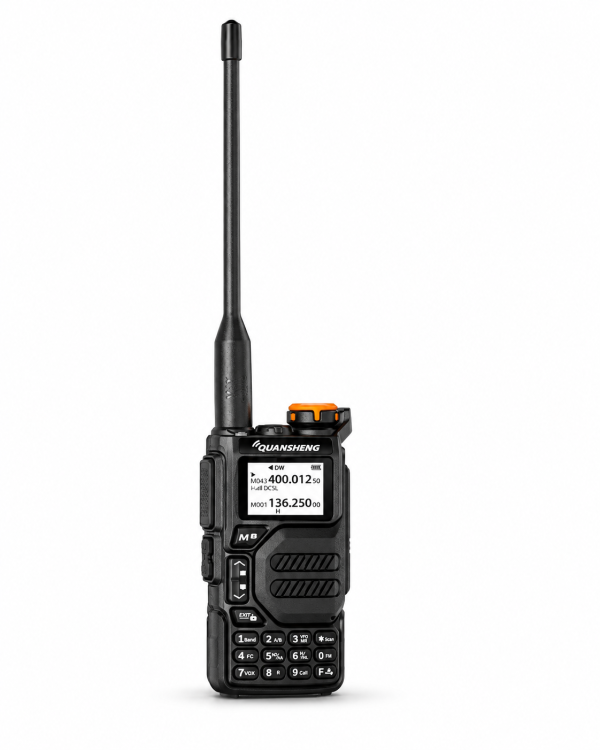
Your radio switches on and receives some signals, yet another handheld cannot hear you. Before changing firmware or replacing accessories, work through the basic setup. The QUANSHENG UV-K5 provides 200 memory channels, dual watch and compatible PC programming, so it is useful to check exactly which stored settings you are using.
1. Establish a simple test
Fit the antenna and battery securely and set an audible volume on both radios. Test with the intended compatible radio in a straightforward location before trying your normal route. Choose one channel configuration that you are authorized to use and keep the initial test focused on it.
Hold PTT to speak, then release it to listen. Ask the other person to reply. Note whether the problem affects both directions or only one; that distinction is useful when comparing settings or contacting support.
2. Compare the stored settings, not just channel numbers
A memory number is a position in a radio’s saved list. Two radios showing the same memory number can still have different settings stored there. Compare the actual channel parameters using the supplied instructions or compatible programming software.
The UV-K5 listing specifies compatible channel and signaling settings for communication. If your radios were programmed at different times, review both configurations rather than assuming one matches the other. Save your existing configuration first when your programming software supports it.
3. Check CTCSS/DCS settings
Compare the signaling settings on both radios, including any receive filtering. A mismatch can prevent you from hearing the other radio even when the main channel appears correct. Change one setting at a time and repeat the same short test so you can identify what made a difference.
The UV-K5 offers CTCSS/DCS search and fast channel copy with a nearby compatible signal. These tools can assist setup, but their results depend on signal conditions and supported settings. Review the resulting configuration and verify it with a two-way call.
4. Confirm the active display entry
The UV-K5 shows two channel or frequency entries. Check which entry is selected before transmitting. A second entry on the screen can make it easy to monitor one channel while intending to call on another.
Dual watch monitors activity between two entries; it does not provide simultaneous reception of two conversations. During troubleshooting, concentrate on one known configuration before returning to a more complex monitoring setup.
5. Separate listening functions from two-way operation
The product listing includes AM airband and FM broadcast reception. Those functions are receive-only. Hearing a broadcast confirms that you can receive that signal, but it does not confirm that your two-way channel settings match another handheld.
For a communication test, use compatible radios and the appropriate authorized operating settings. Reception and usable communication vary with surroundings, antenna setup and signal conditions; avoid judging the setup only from a fixed distance expectation.
6. Check programming compatibility before installing files
PC programming requires compatible software and a compatible cable. Confirm the exact UV-K5 version and package contents before connecting; the listing does not guarantee that a programming cable is included with every package.
Check our Downloads page for available resources. Do not install a file simply because its name resembles your radio model. If you are unsure which resource applies, contact support before writing settings or firmware.
When to ask for help
If the basic checks do not resolve the problem, send dxu76256@gmail.com your exact model/version, the other radio’s model, the software used and whether communication fails in one or both directions. Include a clear description of the test and any error message.
Review the QUANSHENG UV-K5 product page for current functions and charging guidance. The listing specifies the original desktop charger for normal charging and USB-C as an emergency option with the battery installed; switch the radio off before charging.
This checklist is based on the current product listing. Functions depend on the supplied version and compatible equipment.