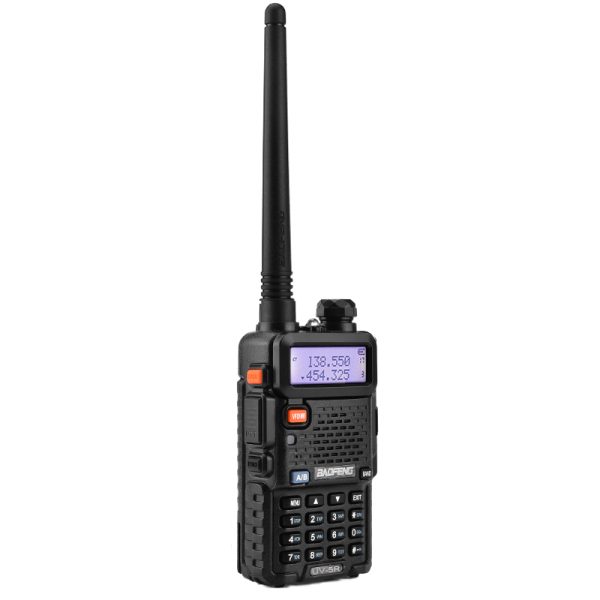
The BAOFENG UV-5R is a conventional dual-band analog FM handheld radio. The black single-radio option in our store offers 128 memory channels, dual watch, a full keypad and wired PC programming. Here are the key details to understand before creating your first channel configuration.
Know which type of radio you are choosing
The UV-5R uses analog FM communication. It is not a DMR digital radio, and it does not use a SIM card or an online push-to-talk platform. Choose it for a compatible conventional analog setup, rather than assuming it can join a digital or cellular radio group.
Compatibility depends on the operating mode and channel settings of the radios involved. A shared brand name or channel label does not confirm that two devices are configured to communicate.
Dual watch and the A/B key
The display presents information for the A and B sides. Dual watch monitors the two configured channels, while the A/B key selects the active side before transmission.
The radio transmits on one channel at a time. Showing two entries does not mean it provides two simultaneous voice conversations. Check the selected side and channel before pressing PTT, especially after changing settings.
Build a useful 128-channel list
The listed memory capacity is 128 channels. Channel and frequency modes provide different ways to select settings, while channel scanning and frequency scanning help check activity.
Start with a small set of confirmed channels for your intended setup. Use clear names when programming, and keep a backup with the model and configuration date in its filename. Review an imported file before writing it to the radio.
CTCSS/DCS settings are supported, but they should be configured to match the intended setup. Treat channel settings as something to verify, rather than copying unfamiliar values and assuming they are suitable.
PC programming requires matching tools
Wired PC programming uses compatible software and a programming cable. Confirm the exact radio model, installed firmware and cable compatibility before selecting a programming resource. A file for a similarly named radio may not be suitable.
Read and save the existing configuration before making substantial changes. Programming software, cable drivers and firmware files serve different purposes; do not treat a programming package as a firmware update.
Visit our Downloads page to check available resources. If a UV-5R-specific file or cable is unclear, contact support before using a substitute.
Power, battery and everyday controls
The current listing specifies 5W high and 1W low output, plus a removable 1500mAh rechargeable lithium battery as described in the supplied manual. These values do not establish a guaranteed communication distance or fixed battery runtime.
The listed charging method is a compatible charging cradle. Check the exact battery and package contents before ordering charging accessories; do not assume USB-C charging from the features of another BAOFENG model.
Other listed functions include adjustable VOX, keypad lock, battery saver, busy channel lockout, a transmission time-out timer and a built-in flashlight. FM broadcast reception is a receive-only listening feature.
Check the single-radio package
This option is one black UV-5R. Review the current listing for the accessories supplied with your order, including any battery, charger or cable details. Do not assume a two-radio kit or an included programming cable.
See the BAOFENG UV-5R product page for current specifications and ordering details. For product or software questions, email dxu76256@gmail.com with your exact model and version information.
This guide reflects the current store listing. Configuration and version affect available functions. Check the requirements for your intended operation and location before transmitting.