The QUANSHENG UV-K1(8) zinc alloy edition combines a distinctive metal-gray housing with practical channel controls. This guide covers the specific 1400mAh version currently listed by SHJ Communications, so you can check the edition, battery and programming requirements before ordering.
Check the edition before comparing features
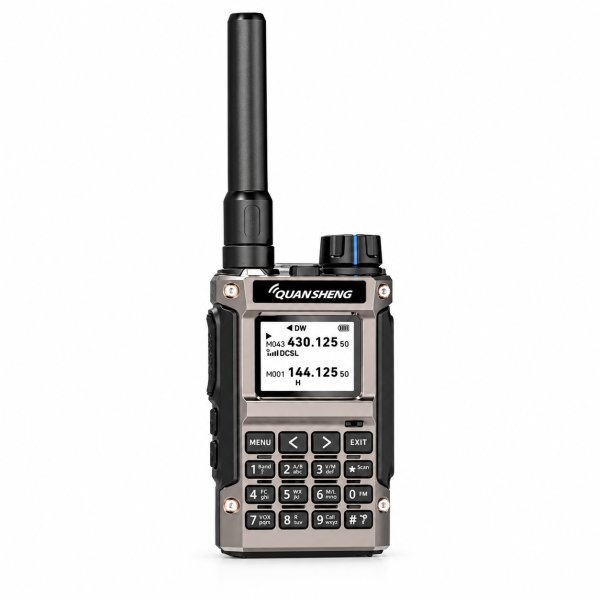
The current listing describes a zinc alloy housing, metal-gray front, black controls and a blue-accented top knob. Its physical keypad and side controls provide access to radio functions and settings.
Use the complete model and edition name when comparing products. A similarly named UV-K1 option may have different housing or battery details. The metal appearance alone is not a claim of waterproofing or a certified impact rating.
What the 1400mAh battery specification tells you
This option includes one 1400mAh rechargeable battery. Capacity identifies the battery supplied with this listing; it does not establish a fixed operating time. Transmit power, how often you transmit, receive activity and other settings affect actual use between charges.
Check the current package contents and compatible charging equipment before buying. The listing confirms one radio and one battery. Follow the user manual for charging and do not transmit while charging.
Start with a manageable channel list
The UV-K1(8) supports up to 200 memory channels. PC programming support lets you manage compatible settings with supported software and a compatible programming cable.
Begin with a small set of confirmed channels rather than importing an unfamiliar configuration. Keep a backup before making changes and label it with the radio model, edition and firmware version. This makes it easier to identify the right file later.
Dual display and dual watch
The display can show two channel or frequency entries. Dual watch monitors activity across two configured entries, but it does not provide two simultaneous voice conversations.
Check the manual for the monitoring behavior and channel selection controls. Before contacting another radio, confirm that the intended channel settings are compatible; matching a displayed channel name is not enough.
Listening features and everyday controls
AM airband and FM broadcast are described as receive-only features. The listing also specifies 20 FM broadcast memory channels. Reception depends on local signals and surroundings, and a listening function should not be treated as a transmit capability.
Other listed controls include high, medium and low transmit-power selection, VOX voice activation, keypad lock, programmable side keys and DTMF. Scanning, CTCSS/DCS search and frequency measurement can assist with checking strong, nearby compatible signals.
Fast channel copying and wireless replication require compatible equipment and settings. Review any copied configuration before use rather than assuming it suits your intended operation.
Choose software for your exact radio
Visit our Downloads page for available resources. Confirm the exact model, hardware version and installed firmware before choosing programming software or a firmware file. A PC programming package is not automatically a firmware update.
The listing describes PC programming support, but does not confirm a programming cable as part of the package. Check what is included and which cable is compatible before ordering accessories.
See the QUANSHENG UV-K1(8) 1400mAh product page for current specifications and package details. For help identifying an edition or download, email dxu76256@gmail.com with your model and version information.
This guide reflects the current store listing. Available functions may vary by configuration and version. Check the requirements for your intended operation and location before transmitting.